Best Soundbar for LG G3: Complete 2024 Buyer’s Guide
Introduction
LG’s G3 OLED is built for people who care about picture quality. The screen is bright, sharp, and full of rich color. But even this flagship TV cannot deliver sound that matches the stunning visuals on its own. Thin panels leave little room for serious speakers or deep bass.
That gap is where the best soundbar for LG G3 comes in. A well‑matched soundbar can turn your living room into a home theater without the complexity of a full AV receiver system. You can unlock clear dialogue, powerful bass, and immersive surround effects that do justice to movies, sports, and games.
This guide walks you through what to look for, the top types of soundbars to consider, and how to set everything up with your LG G3. You will see options for premium Atmos systems, value models, and gaming‑focused bars, plus detailed setup and placement tips so you get great sound from day one.
Why Your LG G3 Needs a Soundbar
LG tuned the G3’s built‑in speakers to sound good for casual viewing. For news or light TV, they work. Once you put on a blockbuster movie or a tense game, though, the limits become obvious.
The Limits of Built‑In TV Speakers
The LG G3, like most modern OLEDs, is ultra‑thin. That design looks sleek on the wall, but it leaves almost no space for large drivers or strong amplification. As a result:
- Bass is weak or missing. Explosions, music drops, and engine noise feel flat.
- Dialogue can sound thin. Voices lack body and sometimes get lost under background effects.
- The soundstage is narrow. Audio seems to come from one spot under the screen, not from around you.
Even with LG’s AI Sound Pro modes, the TV can only do so much. Software cannot fully make up for small speakers. If you want impactful, cinema‑like sound, an external audio system is not a luxury; it is essential.
Matching OLED Picture Quality with Premium Sound
Once you hear a good soundbar with the LG G3, the difference is obvious. A quality bar adds:
- Clear, centered dialogue that stays intelligible even during loud scenes.
- Deep, controlled bass that gives weight to action without muddying voices.
- Wider, more immersive sound that seems to extend beyond the TV’s edges.
The goal is simple: make the audio as impressive as the G3’s picture. With a smart choice, you can reach that balance without filling your room with separate speakers and cables.
Now that you know why a soundbar is so important, the next step is understanding the key features that matter most for LG G3 owners.
Key Features to Look for in the Best Soundbar for LG G3
You will see many specs and buzzwords when you shop for a soundbar. Not all of them matter equally. For the LG G3, a few core features make the biggest difference in daily use.
HDMI eARC and Next‑Gen Connectivity
For the best performance with an LG G3, focus on soundbars with HDMI eARC (enhanced Audio Return Channel). eARC lets the TV send high‑quality audio formats like Dolby Atmos to the soundbar with:
- Higher bandwidth for lossless or near‑lossless audio.
- More reliable sync between video and sound.
- Simpler connections: one HDMI cable between TV and bar.
Your ideal setup is:
- Connect consoles and streaming devices to the LG G3’s HDMI ports.
- Use the TV’s HDMI eARC port to connect to the soundbar.
This layout lets the TV act as the hub while the soundbar handles audio. It also keeps the system flexible if you change devices later.
Dolby Atmos, DTS:X, and 3D Surround Formats
The LG G3 supports advanced formats, so your soundbar should as well. Look for:
- Dolby Atmos: adds height effects so sound can move above you.
- DTS:X (if available): another 3D audio option used in some content.
Bars with up‑firing speakers can bounce sound off the ceiling to create a stronger height illusion. Even virtual Atmos bars (without up‑firing drivers) can still improve immersion, but a true Atmos design generally sounds more convincing in a suitable room.
Design, Size, and Wall‑Mount Compatibility with LG G3
The G3 is often wall‑mounted flush against the wall, so the soundbar must fit the space and look right. Keep in mind:
- Width: choose a soundbar that roughly matches the width of your LG G3 (55, 65, 77, or larger). This keeps the setup balanced.
- Height: if you place the bar on a stand, make sure it does not block the screen’s bottom edge or the LG logo area.
- Mounting: many bars offer wall‑mount brackets. Mounted under a wall‑hung G3, the bar should sit close without covering sensors or ports.
Once you understand these must‑have features, you can start matching them to actual product types. The next step is to identify what kind of soundbar works best overall for most LG G3 owners.
Best Overall Soundbar for LG G3
The best overall soundbar for LG G3 balances performance, features, and price. It should work well for movies, TV, gaming, and music, without overwhelming your room or your budget.
Why It’s the Best All‑Round Match
A strong all‑rounder offers:
- At least a 3.1 or 5.1 channel layout for clear dialogue and a wide soundstage.
- Dolby Atmos support with up‑firing or well‑tuned virtual processing.
- HDMI eARC, plus at least one extra HDMI input for flexible wiring.
This type of bar pairs well with the LG G3 because it can keep up with the TV’s detail and dynamic range. Explosions, quiet whispers, and music all come through clearly. You get an immersive experience without the complexity of separate amps and receivers.
Performance for Movies, TV, Music, and Sports
A true ‘best overall’ soundbar should handle all content types gracefully:
- Movies: strong bass, clear center channel for dialogue, and convincing surround effects.
- TV and streaming: balanced midrange so voices never sound harsh or muffled.
- Music: neutral tuning with decent stereo separation, so songs feel natural, not boomy.
- Sports: impactful crowd noise with crisp commentary that stays front and center.
For LG G3 owners, this versatility matters. You likely stream different types of content from apps like Netflix, Disney+, sports services, and music platforms. One bar should be able to handle all of them.
Pros, Cons, and Ideal LG G3 Owner Profile
Pros:
- Strong performance across all content types.
- Clean, modern design that fits the G3’s style.
- Simple setup with HDMI eARC and on‑screen LG menus.
Cons:
- Not as powerful or expansive as the most expensive flagship systems.
- May not come with rear speakers in the base package.
This overall category fits LG G3 owners who want a big step up from the TV’s built‑in audio, but do not need a massive, multi‑box system. If you watch a mix of movies, TV, and sports and want solid Atmos without going all‑in on a flagship, this is the sweet spot.
However, some viewers want the most immersive sound possible, even if it means a larger system. For those users, premium Atmos soundbars are the next level.
Best Premium Dolby Atmos Soundbar for LG G3
Premium Atmos soundbars target users who want cinematic immersion close to a full AV receiver setup, but still in a simpler package. These systems often include separate subwoofers and rear speakers.
Immersive Soundstage and Up‑Firing Speakers
High‑end Atmos bars often provide:
- Multiple up‑firing drivers for height effects.
- Discrete rear speakers for surround channels.
- A powerful subwoofer for deep, room‑filling bass.
With the LG G3’s superb picture, this kind of soundstage creates a truly theater‑like feeling. Helicopters can seem to fly overhead. Rain may sound like it is falling above and around you. When tuned correctly, you hear sound from all directions, not just from the bar.
Pairing with LG G3 for Home Theater Use
For a home theater focused setup, connect your LG G3 and premium soundbar like this:
- Plug consoles and streaming devices into the soundbar’s HDMI inputs, if it has high‑bandwidth ports.
- Use the soundbar’s HDMI output (eARC) to the G3’s HDMI eARC port.
- Enable pass‑through modes on both TV and bar so video reaches the G3 at full quality.
This chain keeps audio formats like Dolby Atmos intact while allowing the G3 to show 4K HDR images at their best. You can then sit back and enjoy blockbuster movies as if you were at the cinema.
Who Should Choose a Premium Atmos Soundbar
A premium Atmos soundbar makes sense if you:
- Have a medium to large room and sit a bit farther from the TV.
- Watch many movies and series with Atmos mixes.
- Care more about immersion and impact than about strict budget limits.
If you mainly watch casual TV or often keep the volume low, a simpler bar may serve you better. But if you want your LG G3 to anchor a serious home theater, the premium category is the way to go.
Still, not everyone wants to spend that much on audio. If you need to control costs but still want a big improvement, value and budget soundbars are worth a close look.
Best Value and Budget Soundbar Options for LG G3
Not everyone wants or needs a top‑tier system. The good news is that the LG G3 can still benefit a lot from mid‑range and budget soundbars. Even affordable bars can fix the TV’s biggest audio weaknesses.
Best Mid‑Range Soundbar: Balance of Price and Performance
Mid‑range bars usually offer:
- 2.1 or 3.1 setups with a separate subwoofer.
- Some form of virtual surround or basic Atmos decoding.
- HDMI ARC or eARC plus an optical input.
With the LG G3, a mid‑range bar gives you clearer dialogue and stronger bass without the higher cost of a premium Atmos kit. These models are great for apartments, smaller living rooms, or secondary TVs where you still want good sound but not a huge system.
Best Budget Soundbar: Essentials Without the Premium Price
Budget bars focus on the basics:
- Better volume and clarity than the TV alone.
- Often a simple 2.0 or 2.1 design.
- Limited or no Atmos, but some surround simulation.
When paired with an LG G3, even an entry‑level bar can:
- Make dialogue easier to hear at low volume.
- Add a bit of bass so sound feels fuller.
- Reduce strain if you watch long sessions of shows or sports.
When a Value Soundbar Is ‘Good Enough’ for LG G3
Value options make sense when:
- You watch mostly cable TV, news, or sitcoms.
- You live in a building with strict noise limits.
- You just bought the G3 and want to upgrade audio later.
In these cases, a budget or mid‑range bar is often all you need. You still gain a large improvement over the built‑in speakers without a massive investment.
Once you decide on your budget range, the next big decision is brand. At that point, you will want to weigh LG’s own soundbars against popular third‑party choices.
LG Soundbars vs Third‑Party Soundbars for LG G3
You can pair your LG G3 with an LG soundbar or a brand like Samsung, Sony, Sonos, or others. Both routes can work well, but they offer different advantages.
Benefits of Staying in the LG Ecosystem
Using an LG soundbar with an LG G3 can unlock:
- Easier control: often you can use the TV remote to adjust volume and power.
- LG features such as WOW Orchestra or sound sync on compatible models.
- A matched design language, so the bar and TV look like a single system.
These perks simplify daily use. If you want a setup that ‘just works’ with minimal tweaking, staying in the LG ecosystem can be attractive.
When Third‑Party Brands Make More Sense
Third‑party bars may be better when you:
- Want a specific feature, like advanced room calibration or stronger music performance.
- Find a better price‑to‑performance ratio from another brand.
- Already own speakers or components from a different ecosystem.
Many third‑party bars still work seamlessly with LG G3 through HDMI eARC or optical. You may lose some LG‑specific tricks, but you can gain other strengths like richer sound or more robust app support.
Future‑Proofing Your Setup in 2024 and Beyond
When you plan for the next few years, think about:
- HDMI 2.1 support for 4K/120 passthrough if you game.
- Ongoing firmware updates from the soundbar brand.
- Expandability, such as adding rear speakers later.
Both LG and major third‑party brands offer good options here. Once you have a short list based on brand and budget, you should also consider how you use your LG G3 day‑to‑day. For many users, gaming performance is just as important as movie sound.
Best Soundbar for LG G3 Gaming Setups
The LG G3 is a strong gaming TV thanks to 4K/120 support, low input lag, and VRR. To match that, your soundbar should handle fast action without delay or distortion.
Low Latency, 4K/120, and VRR Pass‑Through
If you connect your console through the soundbar, make sure the bar supports:
- 4K/120Hz passthrough for PS5 or Xbox Series X.
- VRR (Variable Refresh Rate), if you rely on it.
- Low audio latency so sound stays in sync with on‑screen action.
Alternatively, you can connect the console directly to the LG G3 and send audio back via eARC. This method often gives the best gaming performance while the soundbar still receives high‑quality audio.
Audio Clarity for Competitive and Casual Gaming
For gaming, focus on:
- Clear positional cues: footsteps, gunfire, and environmental sounds.
- Strong center channel performance so dialogue and game chat are easy to hear.
- A ‘Game’ mode on the bar that reduces processing to cut lag.
The best soundbar for LG G3 gaming delivers tight, precise sound without adding noticeable delay. This keeps you competitive and makes story‑driven games more engaging.
Recommended Settings for Consoles and LG G3 Owners
To optimize your setup:
- Set your console’s audio output to bitstream or Dolby, as recommended by your soundbar manual.
- On the LG G3, set audio output to ‘Pass Through’ when possible.
- Disable extra TV audio processing modes that may add delay.
These steps keep the signal path clean and help your bar work at its best.
Once gaming and movie needs are clear, you can focus on the practical side: wiring and tuning your system so it sounds as good as possible.
How to Set Up and Optimize a Soundbar with LG G3
A good soundbar still needs proper setup. The LG G3 offers flexible audio settings, and a few minutes of tuning can dramatically improve your experience.
Connection Guide: HDMI eARC, Optical, and Other Options
You have three main connection choices:
- HDMI eARC (recommended)
- Connect the soundbar to the LG G3’s HDMI eARC port.
- Enable eARC in the TV’s audio settings.
- Choose this for Atmos and highest quality.
- Optical (TOSLINK)
- Use this if your bar lacks eARC.
- Supports surround but not full Atmos in many cases.
- Bluetooth
- Simple, but compresses audio.
- Best reserved for quick music listening, not for movies.
Whenever possible, use HDMI eARC for reliable, high‑quality audio.
Best LG G3 Audio Settings for Soundbars
After you connect the bar:
- In the G3’s sound menu, set ‘Sound Out’ to HDMI eARC (or Optical if used).
- Turn off ‘TV Speaker’ so the soundbar handles all audio.
- Set ‘Digital Sound Output’ to ‘Pass Through’ when supported.
- Disable extra TV audio effects; let the soundbar process the sound.
These changes ensure the TV sends a clean signal and your soundbar does the heavy lifting.
Troubleshooting Common Issues (Lip Sync, No Sound, Dropouts)
If you run into problems:
- No sound: confirm the correct HDMI port and input are selected on both TV and bar.
- Lip sync issues: adjust the ‘AV Sync’ or ‘Lip Sync’ setting in the TV or bar menu.
- Audio dropouts:
- Check HDMI cable quality and replace with a certified high‑speed cable if needed.
- Turn off power‑saving HDMI features that may cause disconnects.
Once your system is connected and stable, you can fine‑tune placement for even better results.
Placement and Room Setup Tips for the Best Sound
Even the best soundbar for LG G3 needs smart placement to sound its best. Room layout, mounting height, and subwoofer position all play a role.
Wall‑Mounted vs Stand‑Mounted LG G3 and Soundbar
If your LG G3 is wall‑mounted:
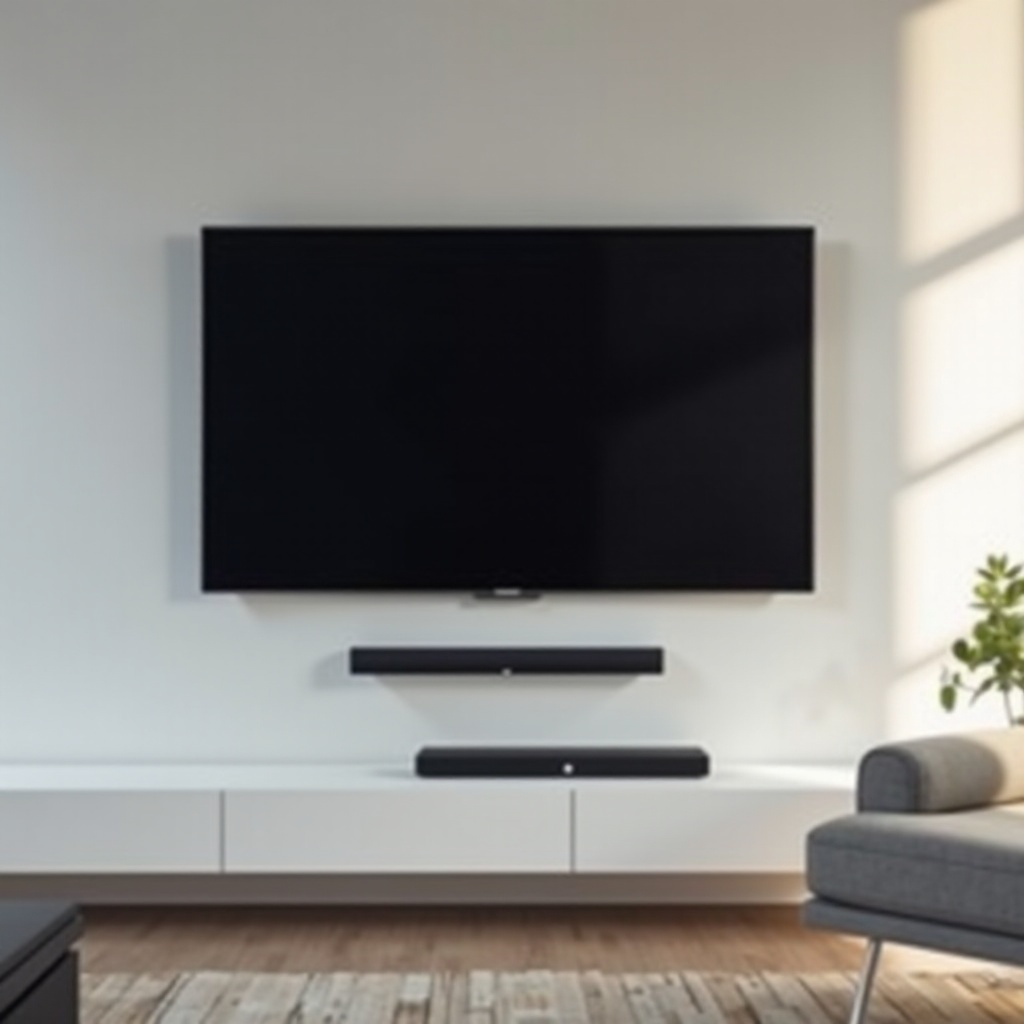
- Mount the soundbar directly under the TV, centered, and close to the wall.
- Keep the bar’s drivers at roughly ear height when seated, if possible.
If the TV sits on a stand:
- Place the soundbar in front of the stand, not behind it.
- Ensure the bar does not block the screen or the TV’s IR sensor.
In both setups, keep the bar’s front unobstructed so sound can travel freely.
Subwoofer and Rear Speaker Placement Basics
For the subwoofer:
- Place it near the front of the room, not hidden in a closed cabinet.
- Move it slightly left or right of center to reduce boomy spots.
For rear speakers (if included):
- Put them slightly behind and to the sides of your seating position.
- Keep them at or just above ear level, aimed toward the listening area.
Small adjustments can make a big difference, so test different positions with familiar content.
Small Rooms vs Large Rooms: What Changes in 2024 Living Spaces
In small rooms:
- You can often use a compact bar and still get strong immersion.
- Avoid excessive bass to prevent rattling walls and disturbing neighbors.
In large rooms:
- Consider a more powerful bar or one with real rear speakers.
- Sit closer to the center of the room to stay in the sound ‘sweet spot.’
With placement dialed in and your system tuned, you are ready to enjoy a balanced setup. All that remains is to recap the key points and help you make a confident final choice.
Conclusion
The LG G3 delivers one of the best TV pictures available, but its slim design leaves audio performance behind. A well‑chosen soundbar is the simplest way to bring the sound up to the same level as the image.
When you pick the best soundbar for LG G3, focus on HDMI eARC, Dolby Atmos support, and a design that matches your room and mounting style. Premium Atmos bars bring near‑cinema immersion, while mid‑range and budget options still offer a huge upgrade over built‑in speakers.
Think about how you actually use your G3: movie nights, live sports, late‑night shows, or next‑gen gaming. Then choose the category and brand that fits those habits, set it up with the right connections, and take a few minutes to tune placement and settings.
With the right model, proper connections, and thoughtful placement, your LG G3 becomes a true home theater centerpiece with both stunning visuals and powerful, immersive sound that feels as premium as the TV itself.
Frequently Asked Questions
Do I need a Dolby Atmos soundbar for my LG G3 in 2024?
You do not strictly need Atmos, but it helps you get the most from the LG G3. The TV can pass Atmos to compatible soundbars, and many streaming apps support it. If you love movies and want an immersive 3D soundstage, an Atmos bar is worth the extra cost. For casual viewing, a non-Atmos bar still improves clarity and bass a lot compared with the built-in speakers.
Is an LG-branded soundbar always the best choice for LG G3?
An LG soundbar integrates smoothly with the G3 and can unlock special features, so it is often the most convenient option. However, third-party brands may offer better music performance, different design styles, or more aggressive pricing. The best choice depends on your priorities: seamless integration and simplicity versus specific features, sound character, or expandability you value more.
Can I use Bluetooth instead of HDMI eARC with my LG G3 soundbar?
Yes, you can use Bluetooth, but it is not ideal for main TV audio. Bluetooth compresses sound and can add delay, which may cause lip sync issues in movies and games. HDMI eARC gives better quality and more stable sync. Bluetooth works best for quick music playback from a phone or tablet, while HDMI should handle your core TV, movie, and gaming sound for the LG G3.